Editor’s Note: This explainer is current as of October 2026.
In a sentence: Two-factor authentication is a second lock on your accounts, and turning it on is the single highest-value security move most people never get around to.
Plain-English Verdict
Two-factor authentication (2FA) means logging in takes two proofs instead of one: your password, plus a code or tap that only your phone can provide. Microsoft’s data says it blocks over 99.9% of automated account attacks, and the best free option is an authenticator app rather than text-message codes. Turn it on for your email first, then everything else. (No affiliate links here; we earn nothing from what you choose.)
What we actually did: We reviewed 2026 reporting on multi-factor authentication, including Microsoft’s published attack data and its 2026 move away from SMS codes, and translated it into plain English. We didn’t touch any accounts or apps for this piece, so this is a research review: a guide, not a hands-on test.
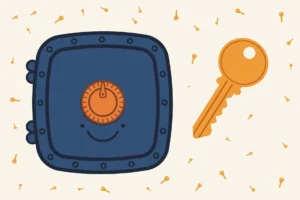
Think of your password as your house key. It worked fine for years, until someone figured out how to copy it from across the internet. Billions of passwords have leaked in data breaches, so a determined stranger may already hold a copy of yours. Two-factor authentication is the deadbolt you add after learning that: a second lock that needs a second key, and that key lives on your phone, in your pocket, where the stranger can’t reach it.
Here’s what it does in one sentence
Two-factor authentication asks for a second proof that it’s really you, on top of your password.
The three ways it usually works, from weakest to strongest:
- Text-message codes. You log in, a six-digit code arrives by text, you type it in. Better than nothing, but it’s the weakest form: attackers can hijack your phone number (a trick called SIM swapping) and intercept the codes. Microsoft is phasing SMS codes out entirely; in May 2026 it announced it would stop using them for personal Microsoft accounts, and it’s requiring passkeys for its business customers by February 2027 (via Windows Latest’s reporting).
- Authenticator apps. An app like Google Authenticator, Microsoft Authenticator, or 1Password generates a fresh six-digit code every 30 seconds. No text messages to intercept, works with no cell signal, and free. This is the sweet spot for most people: meaningfully stronger than SMS, barely more effort.
- Hardware keys. A small USB or NFC key (the well-known one is called a YubiKey) that you tap when logging in. Immune to phishing and remote attacks. Overkill for most, perfect for anyone guarding something valuable.
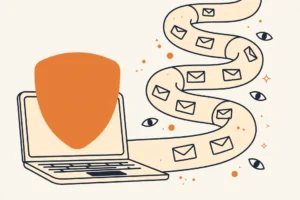
Jargon Decoder: “Phishing” just means a fake sign-in page. A phishing page looks like your bank or email login but sends your password to a stranger. Even the best password can’t survive one. That’s exactly the attack a second factor is built to stop: the stranger has your password, but not your phone.
The setup order that avoids locking yourself out
People get this backwards and secure a streaming account while their email sits unprotected. Your email is the master key: “forgot password” links for every other account land there. So the order is:
- Email first. Turn on 2FA for Gmail, Outlook, or iCloud before anything else.
- Save the backup codes. Every service hands you one-time backup codes during setup. Store them somewhere safe (a password manager works; so does paper in a drawer). This is the spare key to the deadbolt.
- Then the money and the work stuff. Banks, then work accounts, then everything else.
- Prefer the authenticator app over text messages whenever a site offers both.
That’s the whole plan. Twenty minutes, done once, and Microsoft’s numbers say it stops more than 99.9% of automated attacks cold.
Isn’t this what passkeys are replacing?
Yes, eventually. Passkeys replace the password entirely with something your phone handles silently, and they’re resistant to phishing in a way nothing else is. But most services haven’t adopted them yet. Until they do, 2FA is the lock to install today rather than the perfect lock you’re waiting for.
Frequently asked questions
What if I lose my phone?
That’s what the backup codes are for. With them, you can get back into every account. Without them, you’ll go through each service’s recovery process, which is slow and annoying. Save the codes when you set 2FA up.
Is SMS two-factor authentication still worth using?
Yes, if it’s the only option a site offers. Weak 2FA beats no 2FA every time. But choose an authenticator app whenever a site offers the choice.
Does 2FA slow down every login?
Barely. Most sites remember your device and only ask for the second factor on new devices or every few weeks. The daily cost is roughly five seconds.
Keep reading
- What Is a Password Manager, Actually?: the vault that holds your passwords (and your 2FA backup codes).
- How to Set Up a Password Manager in One Afternoon: the Saturday plan for getting both halves done.
Corrections: we fix errors when readers report them.
Source: Microsoft’s MFA data as reported in 2026 coverage (Windows Latest on the SMS phase-out and Lunyb’s 2026 2FA overview). Statistics describe Microsoft’s observed attack data; your mileage varies by target.
Like plain-English tool guides? Our newsletter rounds up the week’s posts every Saturday. Join here.