

Editor’s Note: Updated October 2026, refreshed intro and FAQ for clarity. First published September 2026.
Plain-English Verdict: Zapier is a connector for your apps — when something happens in one app, it automatically does something in another, no coding needed. It’s worth it if you catch yourself doing the same repetitive clicking more than a few times a week. If your work lives mostly in one or two apps, you can safely ignore it for now.
The 30-second explanation
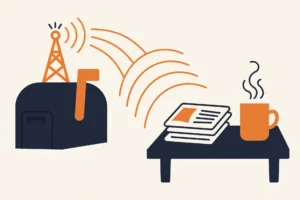
Zapier is an online tool that connects your apps so they can pass work to each other automatically. What Zapier does is this: when something happens in one app, it does a chosen task in another app, like adding a new form entry to a spreadsheet. You set it up once, and from then on it just happens.
In a sentence: Zapier watches your apps for you, and when a chosen event happens in one app, it runs a chosen action in another.
Jargon Decoder: A “Zap” is one automation you set up — like “when I get a new email attachment, save it to Google Drive.” Every Zap has a “trigger” (the thing that starts it, e.g. the new attachment arriving) and an “action” (the thing Zapier does, e.g. saving the file). A “task” is how Zapier counts your usage: each action a Zap runs counts as one task.
Three everyday examples
Zapier connects over 7,000 apps in 2026. To make that concrete, here are three automations real people use:
- The form-to-spreadsheet Zap. Trigger: someone fills out your form. Action: their answers appear as a new row in Google Sheets. No more copy-paste.
- The receipt-filing Zap. Trigger: an email with an attachment arrives in Gmail. Action: the attachment is saved to a folder in Google Drive. No more “where did I put that invoice?”
- The “someone bought something” Zap. Trigger: a new purchase in your store. Action: a message lands in your team’s Slack channel. No more refreshing dashboards.
Each of those takes about ten minutes to set up, then runs in the background on its own.
Need to create the invoice in the first place? Our free Invoice Generator builds one in your browser, no signup.
The “enough repetitive clicking” test
So: do you need it? Run this test. Think about last week. Did you do any of these more than a couple of times?
- Copy information from one app into another
- Send the same kind of email or message repeatedly
- Save attachments or files to the right folder by hand
- Tell your team about something that happened somewhere else
If you nodded at two or more, Zapier will probably save you real time. If not, you don’t have an automation problem yet, come back when the clicking gets old.
What it costs (and what free gets you)
| Plan | Price | Tasks/month | The catch |
|---|---|---|---|
| Free | $0 | 100 | Zaps limited to 2 steps (one trigger, one action); checks triggers every 15 minutes; no premium apps |
| Professional | From $19.99/month (billed annually) | 750 | Multi-step Zaps, premium apps, faster checks |
| Team | From $69/month (billed annually) | 2,000 | Shared workspaces, 25 users |
Check the official pricing page before buying, Zapier reprices periodically.
The honest read: the free plan’s 100 tasks a month covers a surprising amount of personal use. The moment you want a Zap with three steps, say, form → spreadsheet → email, you need Professional.
What Zapier doesn’t do
Two things worth knowing before you sign up. First, Zapier doesn’t work inside your apps, it moves data between them. It won’t make your spreadsheet better; it’ll just fill it in for you. Second, Zapier has a newer AI side (agents, chatbots), but the plain old “when this happens, do that” automations are still the reason most people should care.
How to try it this afternoon
If the clicking test pointed at you, here’s the 15-minute trial:
- Sign up for the free plan (no credit card needed).
- Click “Create” and pick one repetitive thing you did this week.
- Choose the trigger app and event (“when this happens…”).
- Choose the action app and what it should do (“…do this”).
- Test it once, turn it on, and forget about it.
Start with one Zap. If it saves you ten minutes a week, build a second one. If it doesn’t, delete it, the free plan owes you nothing.
FAQ
Is Zapier free?
Yes, the free plan gives you 100 tasks a month with two-step Zaps, no credit card required. Most personal automations fit comfortably inside it.
What’s the difference between Zapier and Make?
They do the same job. Zapier is easier to learn and connects more apps; Make is cheaper at high volumes and has a more visual builder. We’ll compare them properly in a future article, for now, start with Zapier’s free tier if you just want the simplest option.
Do I need to know how to code?
No. The entire point is point-and-click setup: pick a trigger, pick an action, turn it on. That’s it.
What does Zapier do?
Zapier connects your apps and moves information between them automatically. When one app has a new form entry, file, or sale, Zapier can add it to a spreadsheet, send a message, or save a file in another app, without you copying it by hand.
Zapier vs Make: which is cheaper?
Make is usually cheaper, especially if you run a lot of automations. Zapier can cost more at higher volumes, but its free plan and simpler setup make it a good place to start. See our Zapier vs Make comparison for the full breakdown.
Sources
Facts checked against Zapier’s official pricing page and documentation in September 2026. No affiliate links; pricing changes, so check the official page before buying. Read our methodology for how we research tools.
Source: Zapier’s official pricing page, for the pricing and plan details in this article.
Want one plain-English software take in your inbox every week? Subscribe to The Plain Manual newsletter, no spam, unsubscribe anytime.




5 thoughts on “What Is Zapier, Actually? (And Do You Need It?)”