Evidence label: Research review — pricing, free-tier limits, and features verified October 6, 2026 against the official Zapier and Make pricing pages and independent 2026 comparisons. No hands-on walkthroughs were run for this piece; nothing here is a testing claim.
In a sentence: Make is the cheaper way to automate almost everything once you outgrow free, and Zapier is the easier one to learn — pick your pain.
Plain-English Verdict: Zapier and Make both connect your apps so work happens on its own. Make charges roughly 30 times less per automated action once you pay for anything, and its free tier is ten times bigger, but its visual builder is harder to learn and its credit model has a few gotchas. Zapier is genuinely easier for a first-timer and supports far more apps (9,000+ vs 3,000+). If you’ll automate a few simple things, start with Zapier; if you’ll automate a lot, Make will save you real money.
What we actually did: We read both companies’ official pricing pages on October 6, 2026, translated their billing units (“task” vs “credit”) into plain English, and did the dollar math on three everyday automations using each free tier. We did not sign up for trials or run automations for this piece — everything below comes from documented pricing and limits, and it’s labeled that way. The Plain Manual has no affiliate links and earns nothing if you pick either tool.
What these two actually are
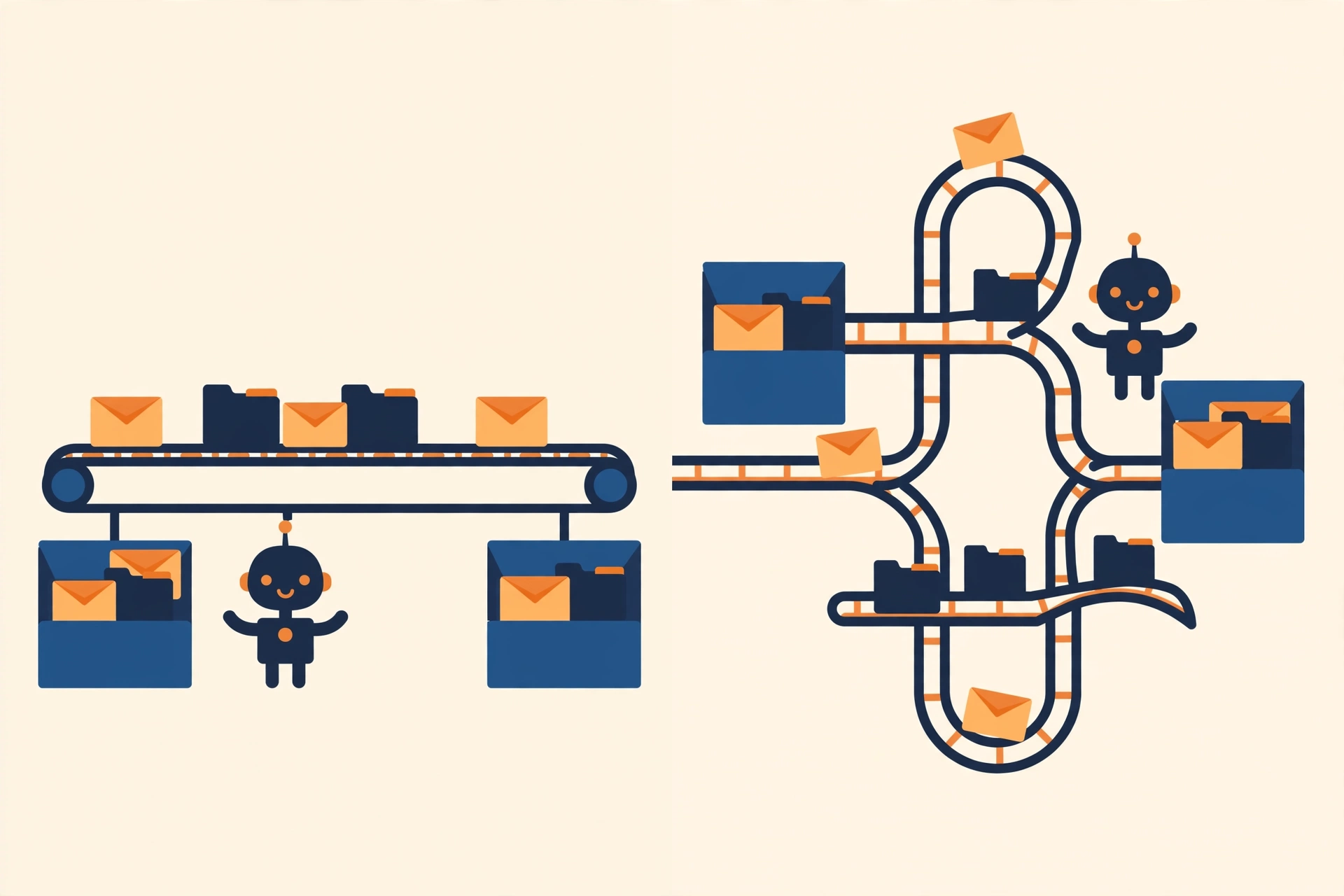
Zapier and Make do the same job: they watch one app for something happening, then do something in another app — automatically. New email attachment arrives, it lands in cloud storage. A customer fills out a form, a spreadsheet row appears and your team gets a Slack ping. No code. No clicking the same five buttons every day.
Here’s the part everyone skips past: the pricing works completely differently, and the difference is worth hundreds of dollars a year once you automate more than a handful of things. That’s what this comparison is really about — not which logo is prettier.
Jargon Decoder: “Automation” just means: software that does the clicking for you. A “Zap” is what Zapier calls one automation (when X happens, do Y). Make calls the same thing a “scenario” — same idea, different word.
1. Zapier: the easy one
Zapier is the older, bigger name, founded in 2011, and the automation tool most “connects with Zapier” badges on the internet refer to. Its editor is a straight line: when this happens → do that → then do that. That’s genuinely the easiest interface in the business, and for a non-technical person setting up their first automation, it matters more than any feature list.
What we like
- 9,000+ app integrations, by far the biggest library. If your tool is obscure, Zapier almost certainly connects to it, where Make’s 3,000+ might not.
- The easiest learning curve. The linear when-this-then-that editor is as close to “just works” as this category gets.
- Every new account gets a free 14-day Professional trial, no credit card, a genuinely useful runway to build something real before paying.
- Triggers never cost anything, and filters, branching (Paths), and Formatter steps are free, only the actions that do things bill you.
What could be better
- The free tier is a sandbox, not a working tier: 100 tasks a month, automations limited to one trigger + one action, no premium apps, and it checks for new data only every 15 minutes.
- Task billing punishes multi-step automations. Every action bills, so a 5-step workflow burns through your quota five times faster than a 2-step one.
- Expensive at volume. Once you’re past a few thousand actions a month, you can be looking at $200+/month — overage surprises are one of the most common Zapier complaints.
- One stale-datum warning: Zapier retired its Starter plan in 2024. If a blog post still quotes Starter pricing, it’s out of date — Professional is the entry paid tier now.
Pricing
| Plan | Monthly (billed yearly) | Actions/month |
|---|---|---|
| Free | $0 | 100 tasks |
| Professional | $19.99/mo ($239.88/yr) | 750+ tasks |
| Team | $69/mo ($828/yr) | 2,000+ tasks |
| Enterprise | Custom | Custom |
Paid plans scale on a task slider, need more tasks, pay more. Monthly billing is about 50% pricier ($29.99 for Professional).
Our take
Zapier is the right pick when simplicity beats savings: your first automations, a handful of workflows, or a niche app only Zapier supports. It’s the friendly one — and you’ll pay for that friendliness once you scale.
2. Make: the cheap one
Make (formerly Integromat, renamed in 2022) is the visual one: you build automations on a canvas, dragging modules around and branching them with routers and loops. It’s genuinely more powerful for complex workflows, and genuinely takes longer to learn. One useful 2026 update: in September, Make cut its paid prices by roughly 25% (Core $12 → $9/month, annual) with the same allowances, which only widens the price gap below.
What we like
- 10× the free tier: 1,000 credits a month on free, forever — versus Zapier’s 100.
- Roughly 30× cheaper per unit at the entry paid tier ($9 for 10,000 credits vs $19.99 for 750 tasks). We did the math below, it’s not close.
- The visual builder with routers, iterators, and aggregators handles branching workflows Zapier’s linear editor strains at.
- Filters are free, and the full execution logs make debugging much less painful.
What could be better
- Steeper learning curve. The canvas is powerful but takes real time to get comfortable with — budget an afternoon, not ten minutes.
- 3,000+ apps is fewer than Zapier’s 9,000+. Your obscure tool might not be there.
- The credit model has traps. Scheduled poll-checks (“anything new?”) bill credits, and loops bill per item, so a scenario that checks every 15 minutes around the clock can eat the entire 1,000-credit free tier in about 10 days. Zapier’s polls are free. Read the credit model before you trust the free math.
- Credits expire monthly with no rollover, and when credits run out, scenarios just stop, no graceful overage on non-Enterprise plans.
Pricing
| Plan | Monthly (billed yearly) | Credits/month |
|---|---|---|
| Free | $0 | 1,000 |
| Core | $9/mo ($108/yr) | 10,000 |
| Pro | $16/mo ($192/yr) | 10,000 |
| Teams | $29/mo ($348/yr) | 10,000 |
| Enterprise | Custom | Custom |
All three paid tiers start at the same 10,000-credit bucket; the price rises along a slider as you add credits. Note: Make renamed its unit from “operations” to “credits” in 2025 — same unit, new word, so older tutorials still apply.
Our take
Make is the right pick when the volume is real or the workflows are complex. The learning curve is the price of admission; the reward is automation that costs tens of dollars instead of hundreds.
Why choose Make over Zapier? The money, in plain dollars
Here’s the threshold that matters, stated plainly: Make is cheaper the moment you pay for anything.
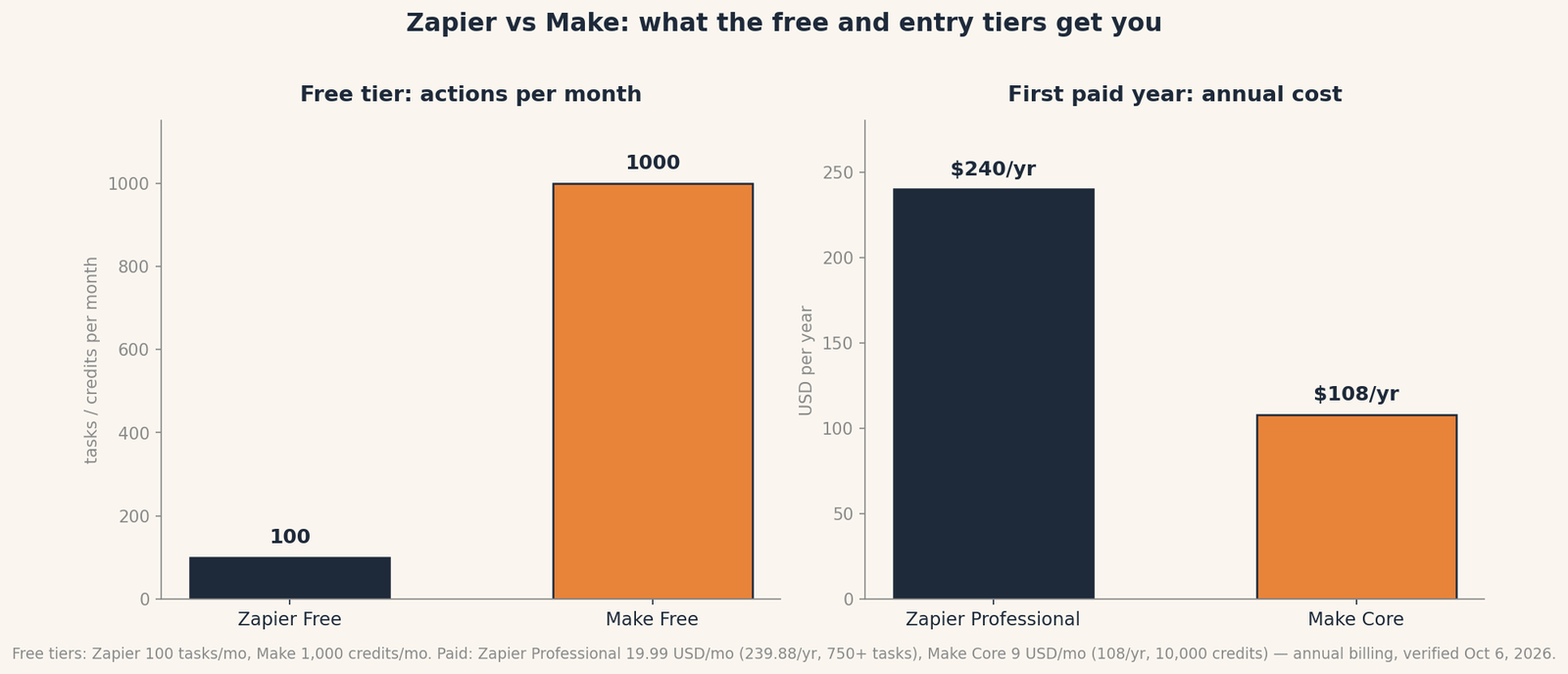
Outgrow Zapier’s 100 free tasks and you’re paying $19.99/month. Outgrow Make’s 1,000 free credits and you’re paying $9/month — for thirteen times more units. At the entry paid tier, a Zapier task costs about $0.027; a Make credit costs about $0.0009. A 10-module scenario running 1,000 times a month costs roughly $9 on Make and well over $100 on Zapier (via Make’s official pricing page and dev.to’s October 2026 Zapier vs Make comparison).
Jargon Decoder: A Zapier “task” is one action Zapier completes for you — send a message, add a row. Triggers and checks are free. A Make “credit” is one module executing — same idea, except Make also bills you for the scheduled “anything new?” checks and charges loops per item processed. That’s the gotcha to remember.
Why choose Zapier over Make? The honesty case
Three honest reasons to pay Zapier’s premium anyway. First, the app library: if the one weird tool your business runs on only has a Zapier integration, the decision is made, Make’s 3,000+ apps are plenty for mainstream tools, not for everything. Second, the learning curve: if you’ll build two or three simple automations and never touch them again, Zapier’s editor will get you there in twenty minutes where Make wants an afternoon. Third, predictability: Zapier doesn’t bill you for polls or checks, and it offers pay-per-task overage instead of just stopping your automations cold when you run out — Make’s hard stop mid-month is a real operational risk if an automation runs your business.
The free-tier math on three everyday automations
We ran the numbers on three automations a normal small business actually uses, on both free tiers. Assumption: the trigger fires only when there’s real work (the polling caveat below complicates this for Make — read it).
| Automation | Zapier free (100 tasks) | Make free (1,000 credits) |
|---|---|---|
| Email attachment → cloud storage (e.g., Gmail → Google Drive) | ~100 runs/mo | ~1,000 runs/mo |
| Form submission → spreadsheet + Slack message | Not possible — free Zapier allows one trigger + one action only | ~500 runs/mo |
| New payment → bookkeeping entry (e.g., Stripe → QuickBooks) | ~100 runs/mo | ~1,000 runs/mo |
The polling caveat, kept short: on Make’s free tier, scenarios can only check every 15 minutes, and those checks cost credits. A scenario polling around the clock makes ~96 checks a day — enough to burn the whole 1,000-credit free tier in about 10 days with zero actual work done (via dev.to’s October 2026 Make pricing breakdown). So Make’s free tier is genuinely great for automations triggered by events (webhooks, form submissions) and much weaker for ones that poll on a schedule. Zapier’s free tier has the same 15-minute floor — but its checks are free, so its real bottleneck is the 100-task cap and the one-action limit instead.
So which one?
If I had to pick one for a first-timer: Zapier’s free tier plus its 14-day Professional trial. You’ll build something working this afternoon, and if you outgrow it, you’ll outgrow it knowing exactly what you need.
If I had to pick one for the long haul: Make, and it isn’t close on price. The September 2026 price cut made the gap wider: $9/month for 10,000 credits against $19.99/month for 750 tasks. Spend the learning afternoon once; keep the savings forever.
And the honest third option: if your automations are all inside one ecosystem, Google Workspace, Microsoft 365, the built-in tools (Google’s Apps Script alternatives like the no-code automations we described in our Zapier explainer, or Power Automate) may cost you nothing at all.
FAQ
Is Make really that much cheaper than Zapier?
At entry-level paid tiers, yes, roughly 30× cheaper per unit ($9/month for 10,000 credits vs $19.99/month for 750 tasks, both billed annually, verified October 6, 2026). The gap widens with multi-step workflows because Zapier bills every action step. Always check both official pricing pages before buying — both companies reprice regularly.
Can I use Zapier or Make for free?
Yes, both have genuinely free-forever tiers: Zapier gives 100 tasks a month (one trigger + one action per automation), Make gives 1,000 credits a month. Make’s free tier fits far more real work; just watch the polling caveat above.
What’s the difference between a Zapier task and a Make credit?
Nearly the same idea with one big difference: both count one executed action as one unit. But Zapier’s triggers and scheduled checks are always free, while Make bills its scheduled poll-checks and charges loops per item. That’s how Make usage gets mis-estimated.
Which is easier for a beginner?
Zapier, clearly. Its linear when-this-then-that editor is the most beginner-friendly in the category. Make’s visual canvas is more powerful but expect a real learning curve.
Method: Research review (no hands-on testing). Cross-checked against the official Zapier and Make pricing pages (pricing, free-tier limits, features), dev.to’s October 2026 Zapier vs Make and Make-pricing breakdowns, neomanex’s report of Make’s September 2026 price cut, and Latenode’s 2026 platform comparison. Checked October 6, 2026.
Corrections: Spotted an error? Tell us — we fix mistakes publicly and date them.
Prices: US list prices; verify before buying.
Source: Make’s official pricing page (via make.com)
Related Posts
 Trello vs. Asana: Which Project Tool Is Right for a Small Team? (2026)
- HoneyBook vs. Indy: Which Invoicing Tool Should a Freelancer Use? (2026)
- Canva vs Adobe Express: Which Is Better for Non-Designers? (2026)
- FreshBooks vs. Wave: Which Invoicing App Is Worth Paying For? (2026)
- Todoist vs TickTick: Which To-Do App Will You Actually Keep Using? (2026)